
How to Use a Portable Power Station During a Power Outage
Step-by-step guide to using a portable power station during a power outage: preparing in advance, what to plug in first, safe use and how to stretch the battery.
 By Home Backup & Outage Desk
Updated November 14, 2026
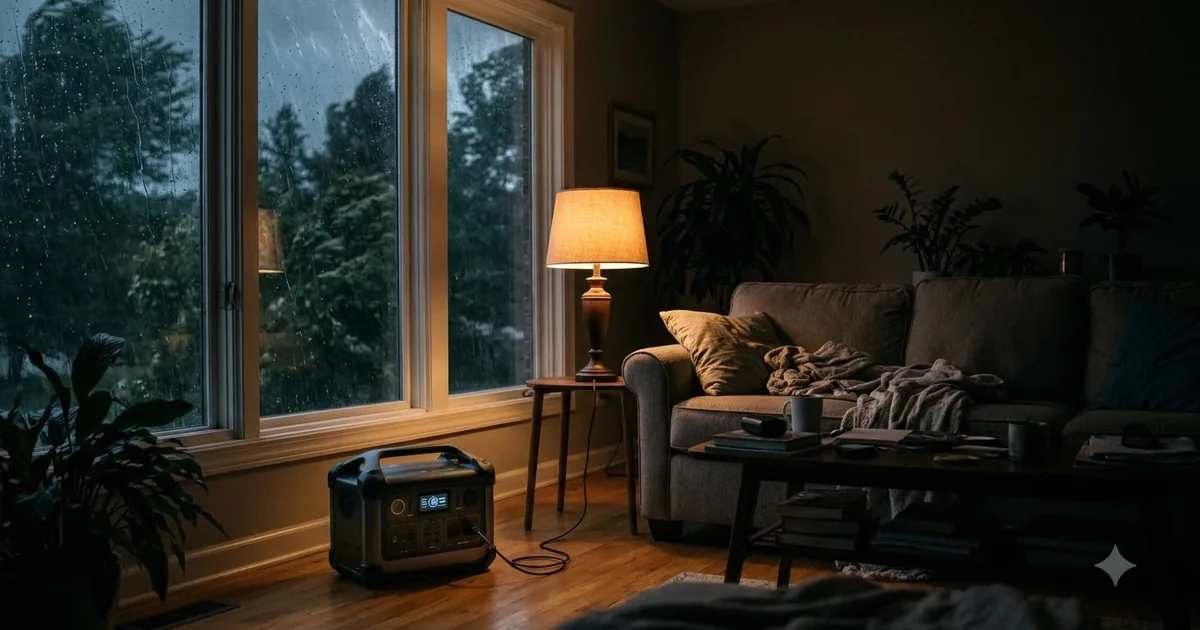
This guide is based on manufacturer specifications, published information and buyer feedback. We do not claim hands-on testing. Always follow the instructions that come with your own equipment.
A portable power station is easy to use, but a little preparation makes it much more useful when the lights go out. Here is a practical checklist.
Before an outage
- Charge it. Keep the unit charged to full. Many makers advise storing batteries partly charged and topping up regularly, so check your manual.
- Make a plan. List devices to power and how long. Use our runtime calculator.
- Gather cables. Phone chargers, extension cords rated for the load and any solar cables.
- Know where it is. Keep it in an easy-to-reach place, away from moisture and heat.
During an outage
- Place the unit on a flat, dry, ventilated surface indoors or in a covered area. Do not cover vents.
- Plug in the most important devices first: communication, lights, medical equipment (see below) and the router.
- Use USB ports for small devices where possible to save energy.
- Turn the AC output off when not in use.
- Watch the battery level and plan recharging, with solar during the day if you have panels.
Medical equipment
If you rely on medical equipment such as a CPAP or oxygen concentrator, follow the equipment maker’s guidance and speak with your healthcare provider about backup power. We do not give medical advice.
Safety
- Never run a gas generator indoors or in an attached garage. Power stations produce no exhaust, but follow the manufacturer’s safety instructions.
- Do not back-feed your home through a wall outlet.
- Keep the unit away from water, heat and children.
After the outage
Recharge the unit and restock cables. Review what worked and what to change next time. For hurricane planning, see our hurricane power outage checklist.
Plan your power budget for the first 24 hours
Outages rarely last exactly as long as you expect, so think in blocks of 24 hours. Start with the devices that matter most and estimate how much energy they will use in a day. Phones need only a small share of the battery per charge, while a laptop, a lamp and a router together can use a steady share each evening. Writing this down before the outage makes decisions during it much easier.
- Tier 1 (always on): phones, medical devices and a battery radio if it charges by USB.
- Tier 2 (evenings): LED lights, a laptop, a router and a small fan.
- Tier 3 (only when the battery is high): a TV, a mini fridge or anything with a motor.
Keep food and medicine cold without overloading the battery
A small refrigerator keeps food cold for a while if the door stays closed, because each time the door opens the fridge runs longer to recover. Check the fridge’s running watts and cycle pattern before relying on it, and follow official food-safety guidance on what to keep or discard. Medicines that need refrigeration should follow the label or the pharmacist’s advice.
Charging options while the grid is down
- Solar: works in daylight and is quiet, but output changes with clouds, shade and panel angle.
- Car: useful for topping up. Run the engine outdoors only. Never idle a car inside a garage or any enclosed space because of carbon monoxide.
- Wall: the fastest option once power returns, so charge fully as soon as the grid is back.
Communication and information first
Keep at least one phone charged, and turn on power saving or airplane mode when you do not need data. A battery or hand-crank radio gives local updates when mobile networks are busy. Official emergency alerts from your local authority are the most reliable source of instructions, so follow them.
Practical habits during the outage
- Unplug devices you are not using, even small chargers, which still draw standby power.
- Use the shortest, thickest cable that suits the load to limit losses.
- Keep the unit dry and out of reach of children and pets.
- Note the battery level at the same time each day so you can see the trend.
Frequently asked questions
Can I charge my power station from my car?
Many units have a car (12V) charging input. It is slower than a wall outlet, so check the manual.
Can I use it while it is charging?
Many models support pass-through charging, but check the manual because it can affect battery life or may not be supported on all models.
How early should I charge before a planned outage?
If you know an outage is coming, charge to full the day before and check the level in the morning. Keep it topped up in the hours before the outage starts.
Can I use the unit overnight?
Yes, if the load is light. A phone, a router and a few LED lights use far less energy than a fridge running all night, so plan the overnight load first.
What should I do when the battery is low?
Switch off the AC output, keep only phones and communication powered, and recharge from solar or the car when it is safe to do so.
Medical equipment: if you plan to run a CPAP machine or other medical equipment from a portable power station, check the device manufacturer’s guidance first and keep a backup plan. A power station is not a medical-grade or guaranteed uninterruptible power source, and this guide is not medical advice.
More guides you may like
Popular buying guides
About the author
The Home Backup & Outage Desk covers sizing, runtime and preparation for power outages, storms and home backup, using manufacturer specifications and public outage data.